Search Breaking The Lines
How to search pieces, thoughts, creators, players and clubs in Platform.
Platform. Anyone, signed in or out.
Search
- Select Search in the top navigation, or open breakingthelines.com/search.
- Type in the box marked "Players, clubs, articles". Suggestions appear as you type. Use the arrow keys and Enter, or select a suggestion.
- Pick a scope: Content, Thoughts or Creators. On a phone the scopes sit in a row above the results; on a computer they sit in a column on the left.
- Select the Grid view or List view icon to change the layout.
Select the cross in the search box to clear it.
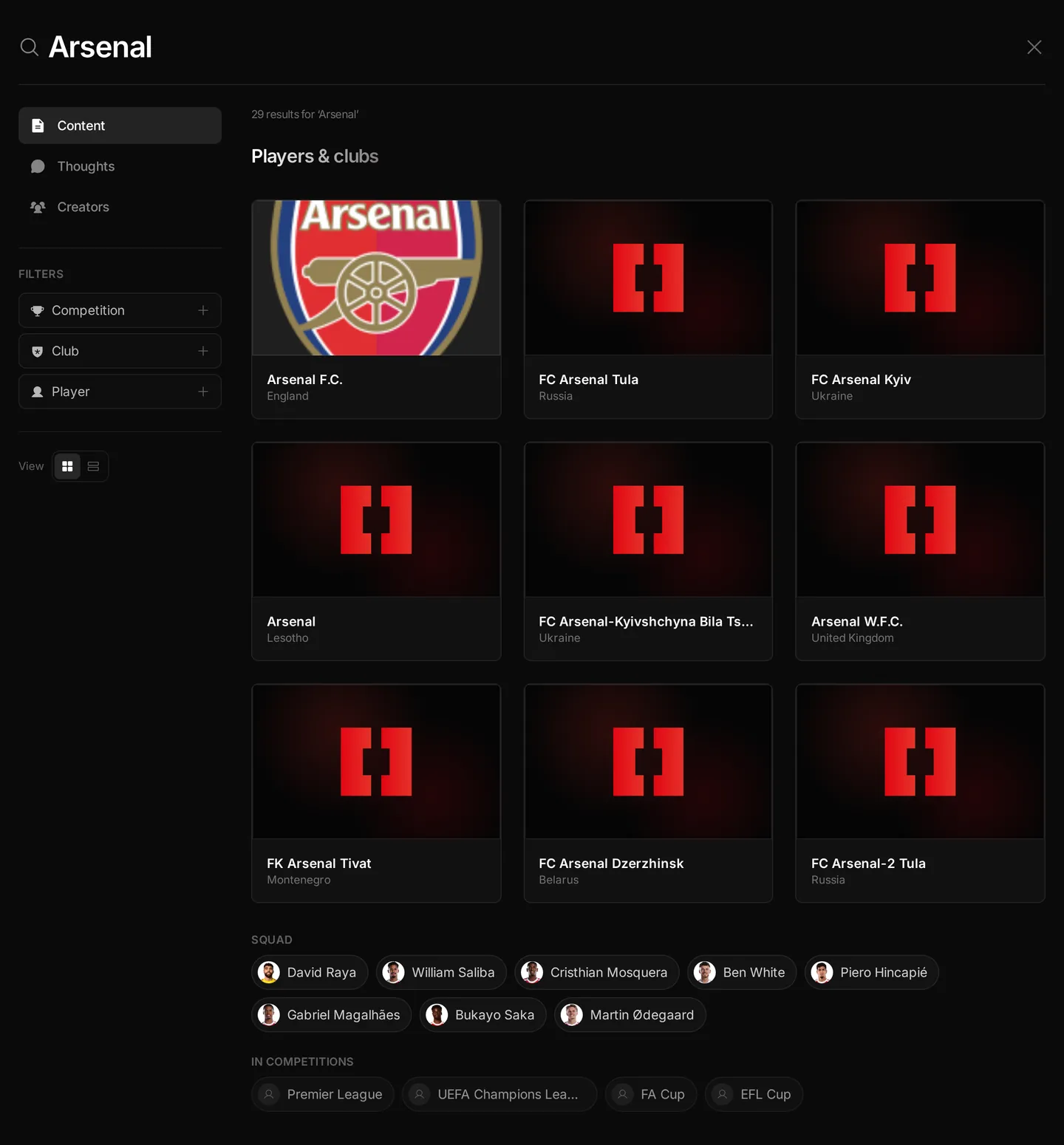
What each scope shows
- Content lists results in rows for Articles, Videos and Podcasts.
- Thoughts lists matching thoughts.
- Creators lists Authors and Squads.
Above every scope, Players & clubs shows matching players, clubs and competitions. Select one to open its page. Under a close match, related names follow: a club's Squad, a player's Plays for, a competition's Teams.
With the box empty, the page shows Trending, Recent Videos and Podcasts.
Filter results
Filters work on the Content and Thoughts scopes.
- Select Competition, Club or Player.
- Search for a name and select it. It appears as a chip under the filter buttons.
- To remove a filter, select its chip.
Players and clubs
Players & clubs does not include every player and club. When a name is missing, open the club or competition from Game Centre and find the player there. See players and clubs.
The search box in the Thoughts sidebar is different: it filters only the thoughts already loaded on that page. See browse and reply.
Was this page helpful?