Change text size, use Bionic Reading or listen
The reading controls on a Breaking The Lines article, and which plan each one needs.
Platform. Anyone, signed in or out. Listening and synced reading progress need Pro or Line Breakers.
Text size and Bionic Reading work for everyone.
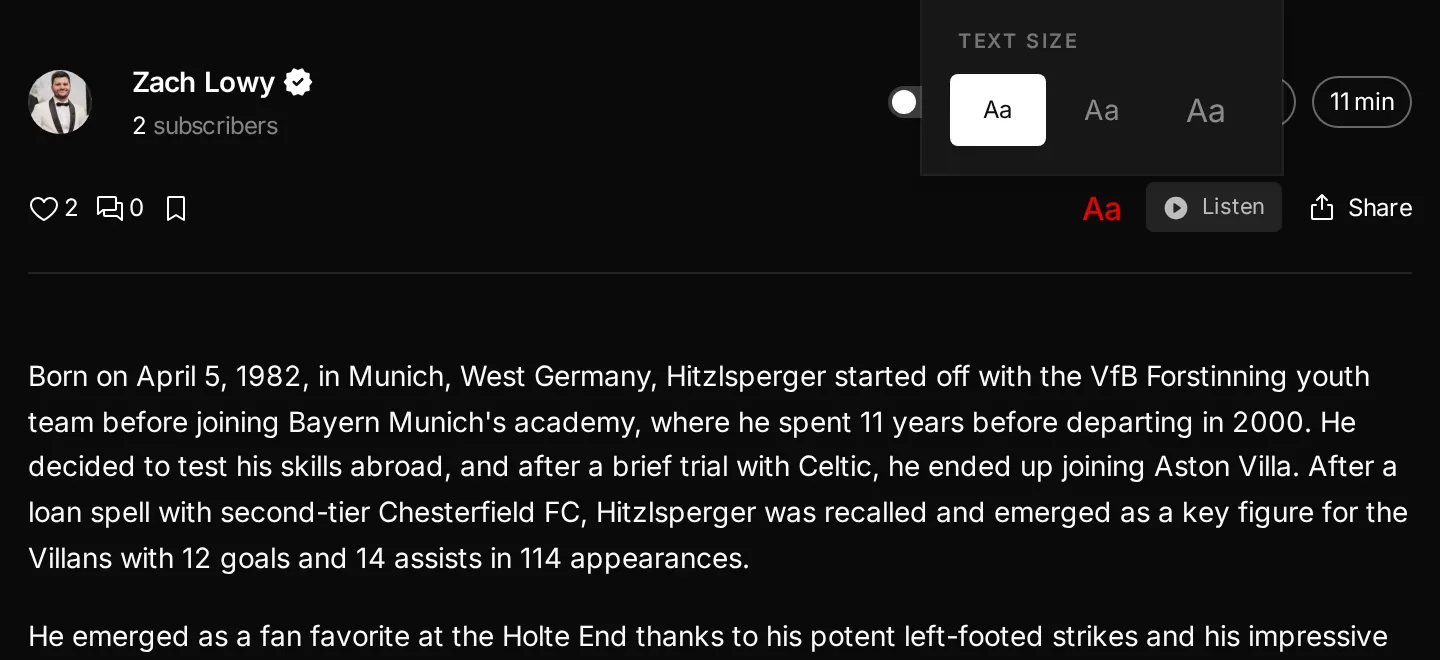
Change text size
- Open an article.
- Select Aa in the row under the title.
- Under Text size, select one of the three sizes.
Turn on Bionic Reading
Select the Bionic Reading switch in the byline row. Bionic Reading bolds the leading letters of each word. On a phone, the switch shows without its label.
Signed in, text size and Bionic Reading are saved to your account and match Studio at studio.breakingthelines.com, under Settings > Preferences > Reading (Font Size and Bionic Reading). Signed out, they are saved in the browser.
Listen to an article
An article has audio when its author was on Line Breakers when it was published. Articles without audio show no listen control.
- Select the play button beside Aa.
- Use Rewind 15 seconds and Forward 15 seconds, or drag the bar to move.
- Select the speed (it starts at 1x) to step through 1x, 1.25x, 1.5x, 1.75x and 2x.
The paragraph being read is highlighted. When you scroll past the controls, a bar at the bottom of the screen keeps them in reach. Select Close bar to hide it.
Signed out, the control reads Listen and opens Sign in. On Free, it reads Listen with Pro and opens the Pricing page.
Pick up where you left off
On Pro or Line Breakers, your place in an article is saved. Opening it again shows Continue where you left off with the percentage read. Articles in progress appear in Keep Reading on the home page and in Arena, and in Studio under Library > Reading. See save and Library.
On Free, the article shows "Pro unlocks the full reader" with Upgrade to Pro.
After the article
- Mentioned lists the Players, Coaches, Teams and Competitions the article is about. Select Show all for the full list, or a name to open its page. See players and clubs.
- Read More lists related pieces.
Was this page helpful?