Sign in
How to sign in to Breaking The Lines with an email address, Google or X, reset a forgotten password, and log out.
Platform. Any plan.
Studio at studio.breakingthelines.com uses the same account and sends signed-out visitors to Platform sign-in page.
With an email address
- Go to breakingthelines.com/auth/login, or select the sign-in link at the top right of any page.
- Enter your email address in E-mail and your password in Password.
- Select Sign in.
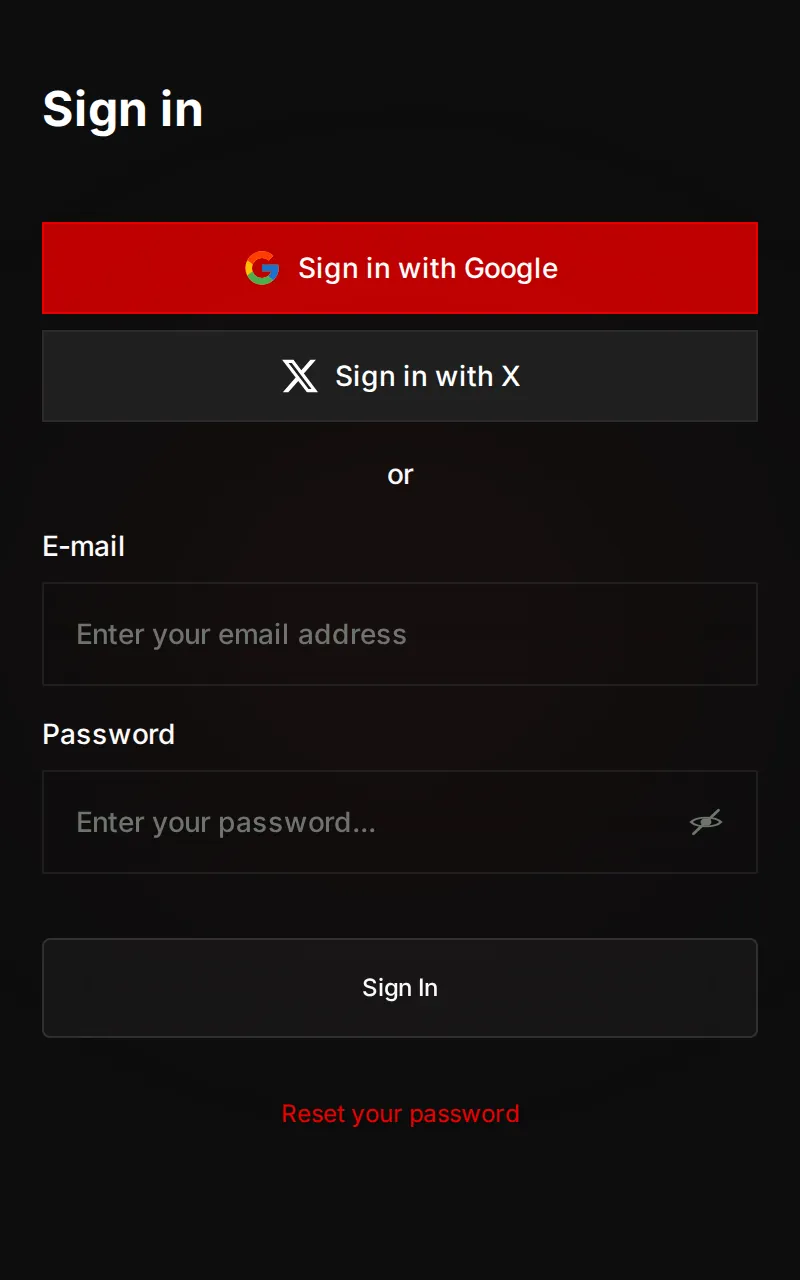
Signing in from the top bar returns you to the page you were on. An account that has not finished setup goes to First Touch first. See First Touch.
If the email address is not verified yet, the page says so. Select Resend verification email, then open the link in the new email.
With Google or X
Select Sign in with Google or Sign in with X and approve the sign in with that provider. BTL matches the verified email address from the provider to your account.
If no account uses that address, the Create your account? page opens. Select Create a new account to make one, or Sign in to an existing account to go back and sign in another way. Nothing is created until you select Create a new account.
Reset a forgotten password
- On the sign-in page, select Reset your password.
- Enter your email address in E-mail and select Send reset link.
- Open the link in the email. The Set new password page opens with the reset code filled in.
- Check E-mail and Reset code, then enter New password and Confirm new password. The password needs at least 12 characters, with a letter and a number.
- Select Set new password. The sign-in page opens with "Password updated. Please sign in with your new password."
To change a password you know, see settings.
Log out
On Platform, open the Account menu on your avatar and select Log out. In Studio, select Logout at the bottom of the sidebar.
Was this page helpful?