Create an account
How to create a Breaking The Lines account with an email address and password, or with Google or X.
Platform. Anyone, signed out. New accounts start on Free.
The same account signs in to Studio at studio.breakingthelines.com.
With an email address
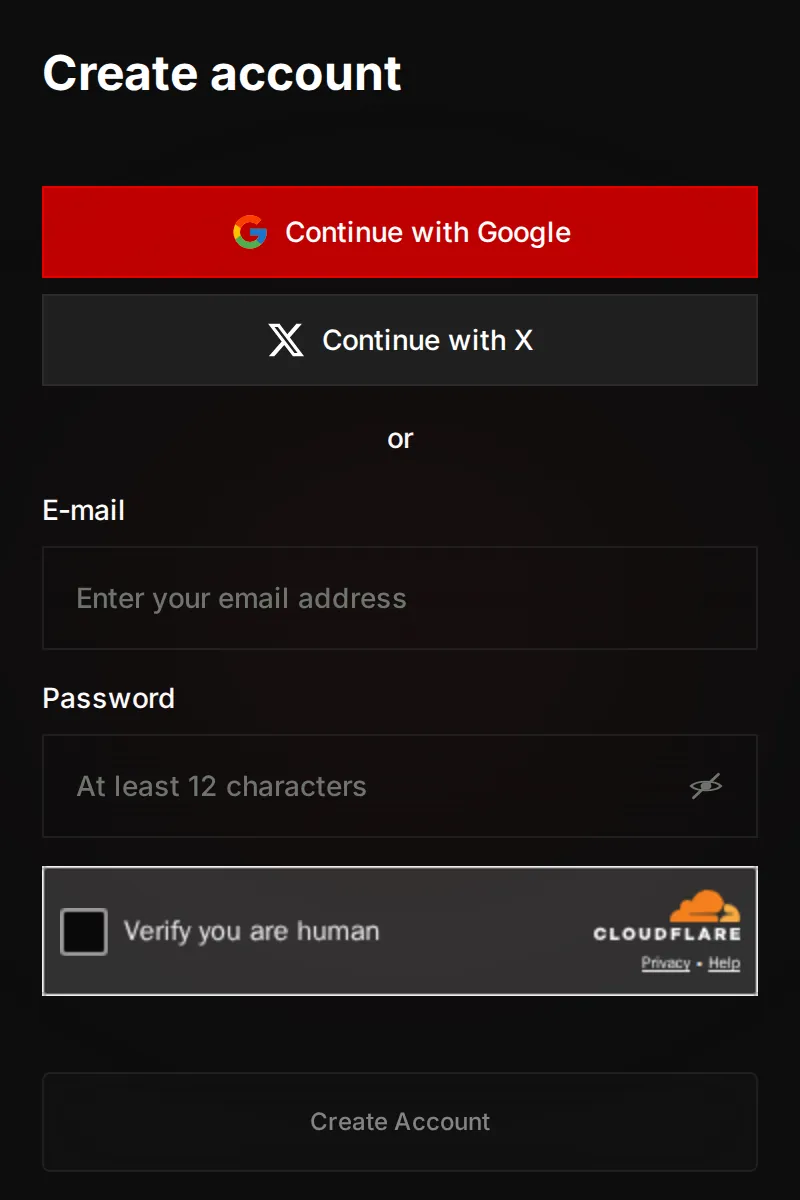
- Select Sign Up at the top right of breakingthelines.com. The Create account page opens at breakingthelines.com/auth/register.
- Enter your email address in E-mail.
- Enter a password in Password. It needs at least 12 characters, with a letter and a number. The checklist under the field shows which rules the password meets.
- Complete the human check.
- Select Create Account. The Check your email page opens and BTL sends a verification email.
- Open the link in the email. The sign-in page opens with "Email verified. Please sign in to continue."
- Sign in with the same email address and password. See sign in.
If the email does not arrive, select Resend verification email on the Check your email page. Back to sign in opens the sign-in page.
If the link has expired, the Verify your email page opens with an error. Select Resend verification email for a new link.
With Google or X
- Select Sign Up at the top right of breakingthelines.com.
- Select Continue with Google or Continue with X, and approve the sign in with that provider.
- If no BTL account uses the email address the provider gave, the Create your account? page opens. Select Create a new account.
Nothing is created until you select Create a new account. There is no verification email: the provider has already verified the address. If a BTL account already uses that address, you are signed in to that account.
Next
After the first sign in, Platform opens First Touch to set up your handle, your football and your first Programme issue. See set up your account with First Touch.
Was this page helpful?