Football
Grade a match or a player
How to grade a football match or a player's performance on the BTL 1 to 6 scale, and where your grades are listed.
Platform. Any plan, signed in.
Grades can be submitted once the match reaches full time.
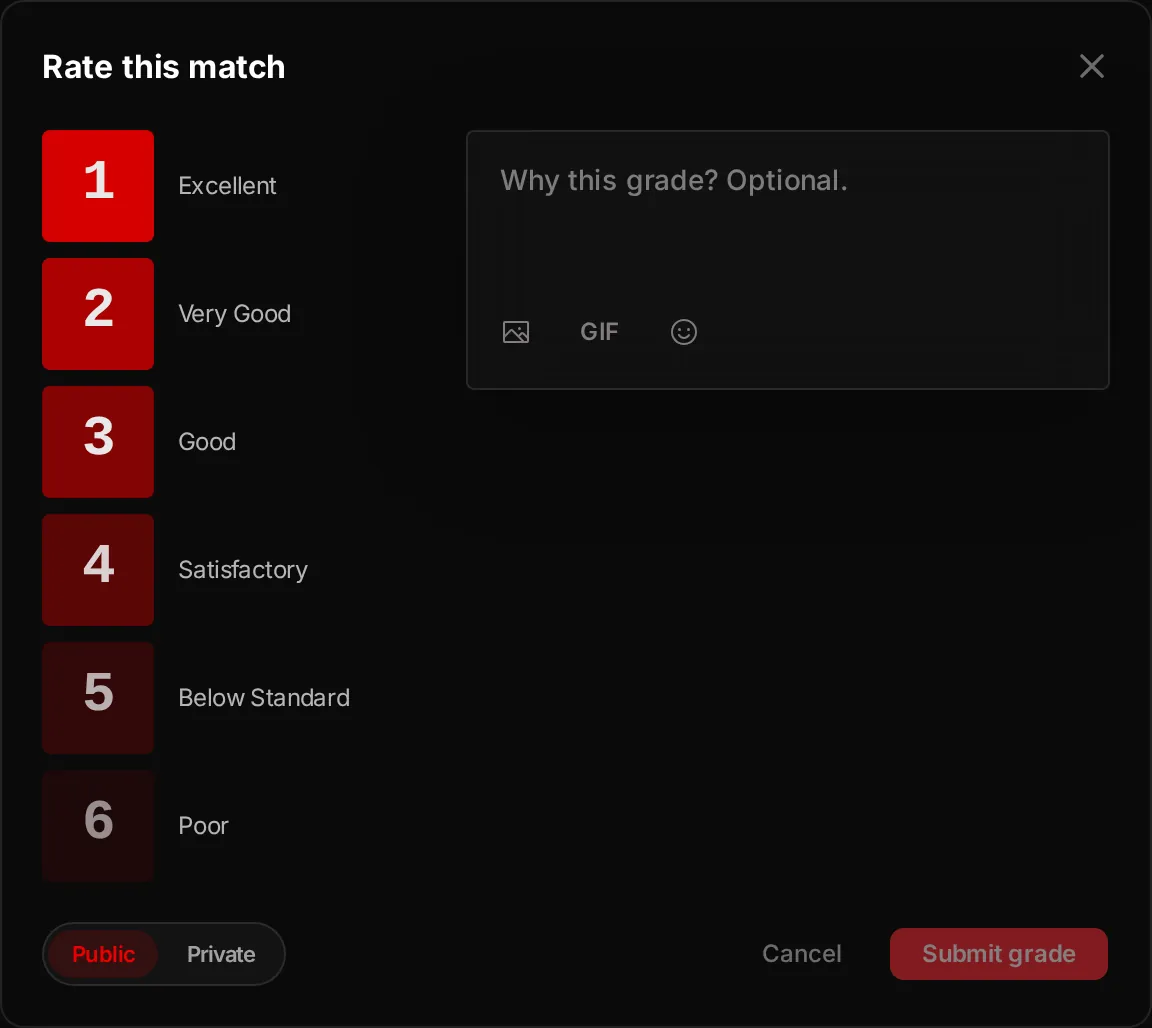
BTL grades use a 1 to 6 scale where lower is better:
| Grade | Meaning |
|---|---|
| 1 | Excellent |
| 2 | Very Good |
| 3 | Good |
| 4 | Satisfactory |
| 5 | Below Standard |
| 6 | Poor |
Grade a match
- Open the match page. See follow a match.
- Select the star, Grade this match, to the right of the tabs. Signed out, a sign-in prompt opens instead.
- Select a grade from 1 to 6.
- Optionally, write a reason in Why this grade? Optional. You can mention players and clubs and add an image, a GIF or an emoji.
- Choose Public or Private. Public is selected by default.
- Select Submit grade.
Grade a player
- On the match page, open Lineups.
- Select a player on the pitch.
- Select Grade in the player's panel. Signed out, a sign-in prompt opens instead.
- Select a grade from 1 to 6, optionally write a reason, choose Public or Private, and select Submit grade.
Once readers have graded, the match's Overview shows the average grade and the best-graded players.
After you submit
- A public grade with a reason also posts the reason as a thought, shown on your profile and in the match's thoughts. A private grade is visible only to you.
- After a public grade, the confirmation offers Draft article. It opens a new draft in Studio at studio.breakingthelines.com, linked to the grade.
- Grading the same match or player again replaces your earlier grade.
Find your grades
- Your profile's Gameday tab, Grades view, lists your grades. Filter by players, managers or matches, by team, competition or player, or search them.
- The Grades Log at breakingthelines.com/@handle/ratings lists a person's or a squad's recent grades. Replace handle with the username.
- Each grade has its own page at breakingthelines.com/@handle/grades/ followed by the grade id. It shows the player or match, the grade, the reason and the date, with Share and Expand to article, and an On this grade section with thoughts and articles about it.
Was this page helpful?